Quality Field Guides › Tools › Internal Audit Program Kit
Full pack: field guide + workbook
Internal Audit Program Kit
Seven worksheets that run the whole clause 9.2 program, from the risk-weighted annual schedule to the verified-effective rate the management review needs, with a short field guide, one chapter per tab.
Fall sale: 20% off at checkout through November 1, 2026. $35 becomes $28.
Buy on GumroadFull pack: field guide + workbook · Excel 2016+ or Google Sheets · pre-filled with a worked example · 30-day refund, no questions
30-day refund, no questions. Files are Excel (.xlsx); no macros.
See inside
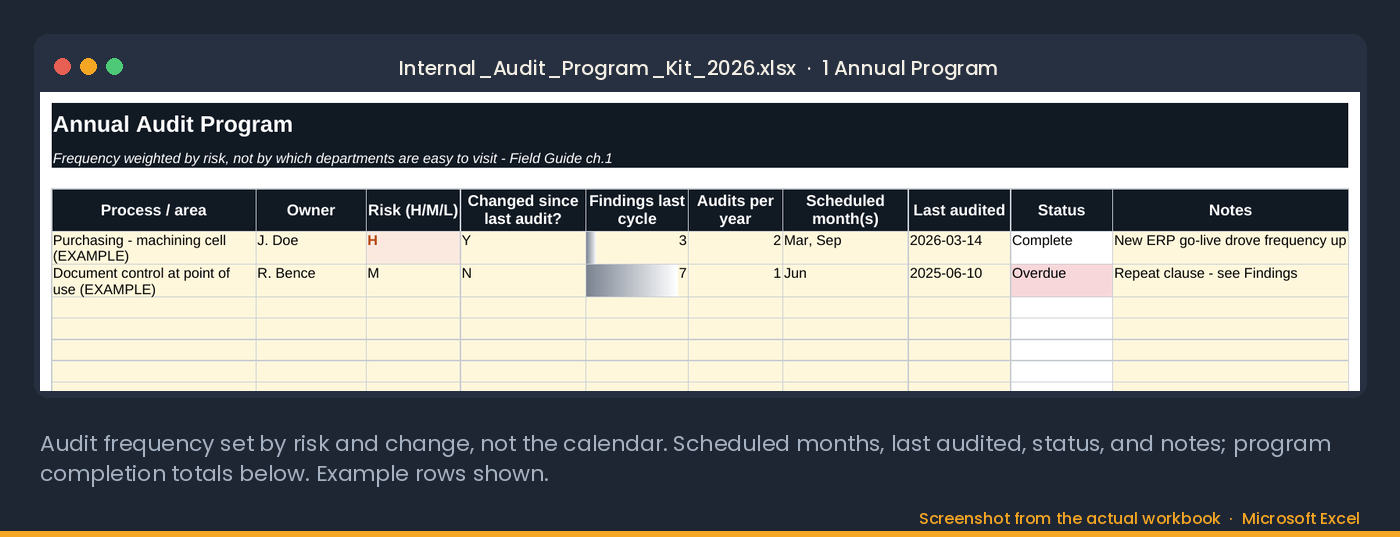
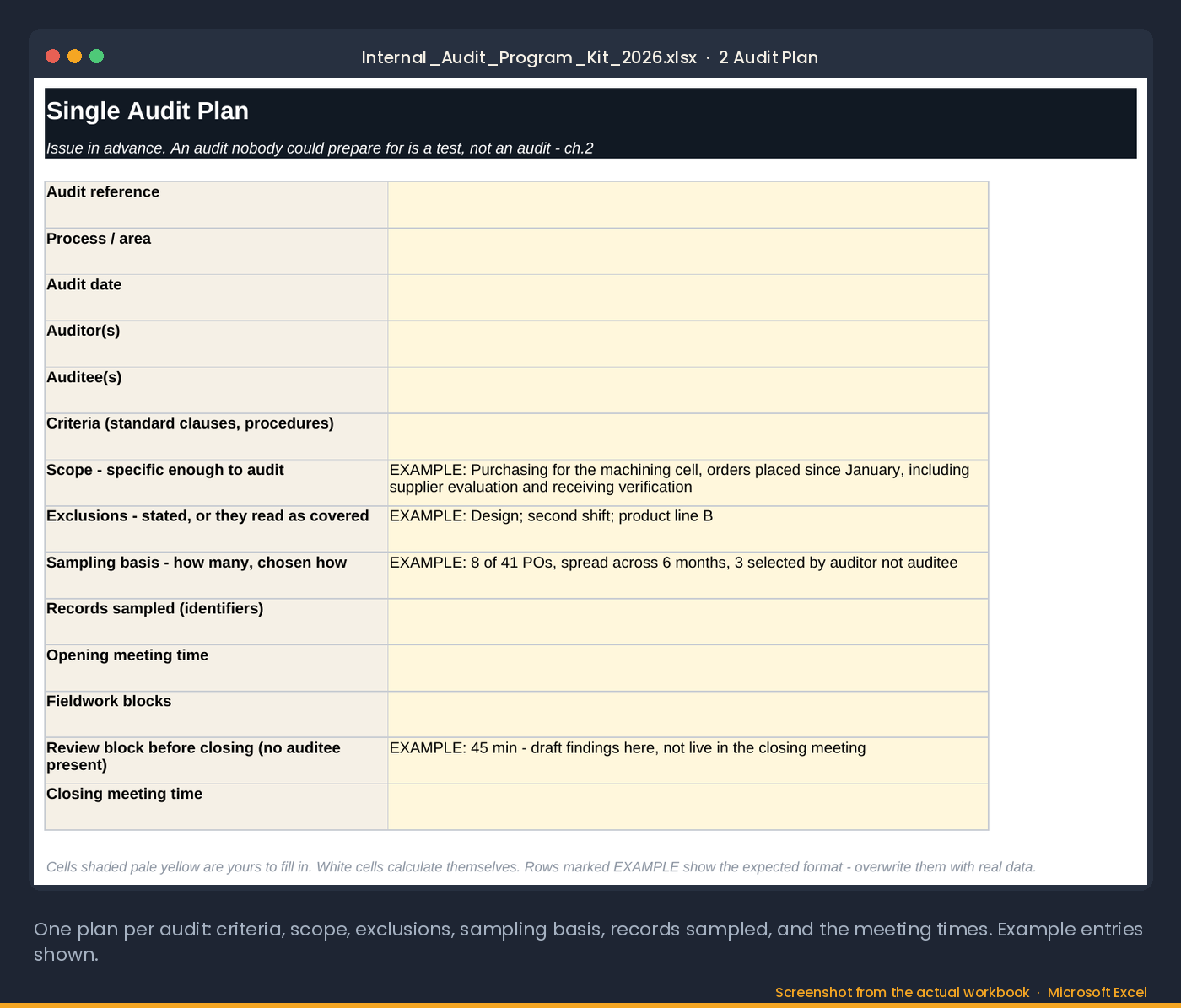
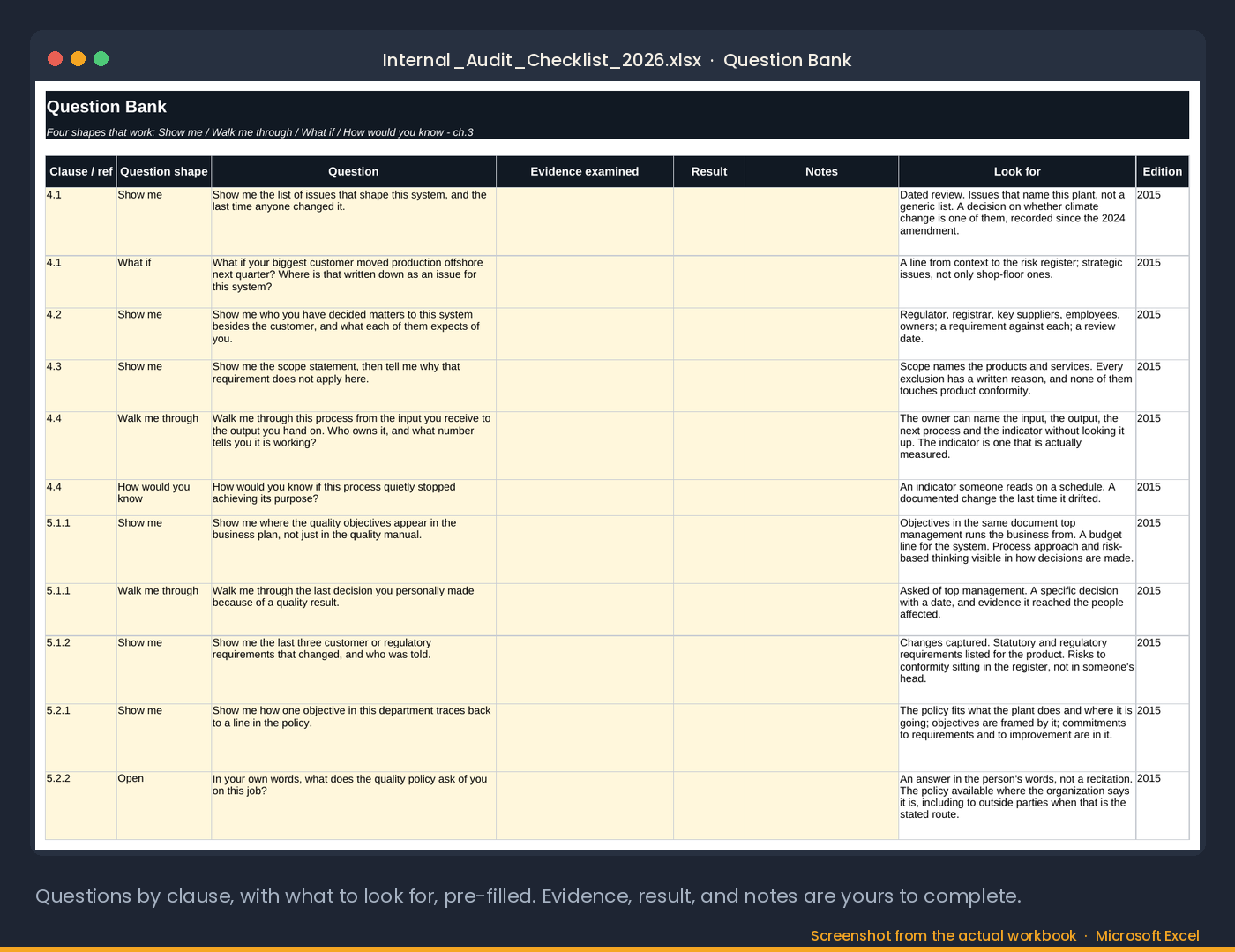
Screenshots from the actual workbook.
The method
An audit program that audits where the risk is, and a register that remembers.
Most internal audit programs are a calendar: every clause once a year, the same auditor, the same checklist. The kit weights the annual program by how much a process matters, what the last audit found, and what has changed since, which is what the 2026 edition now asks for by name in 9.2.2. The audits land where the findings are likely to be.
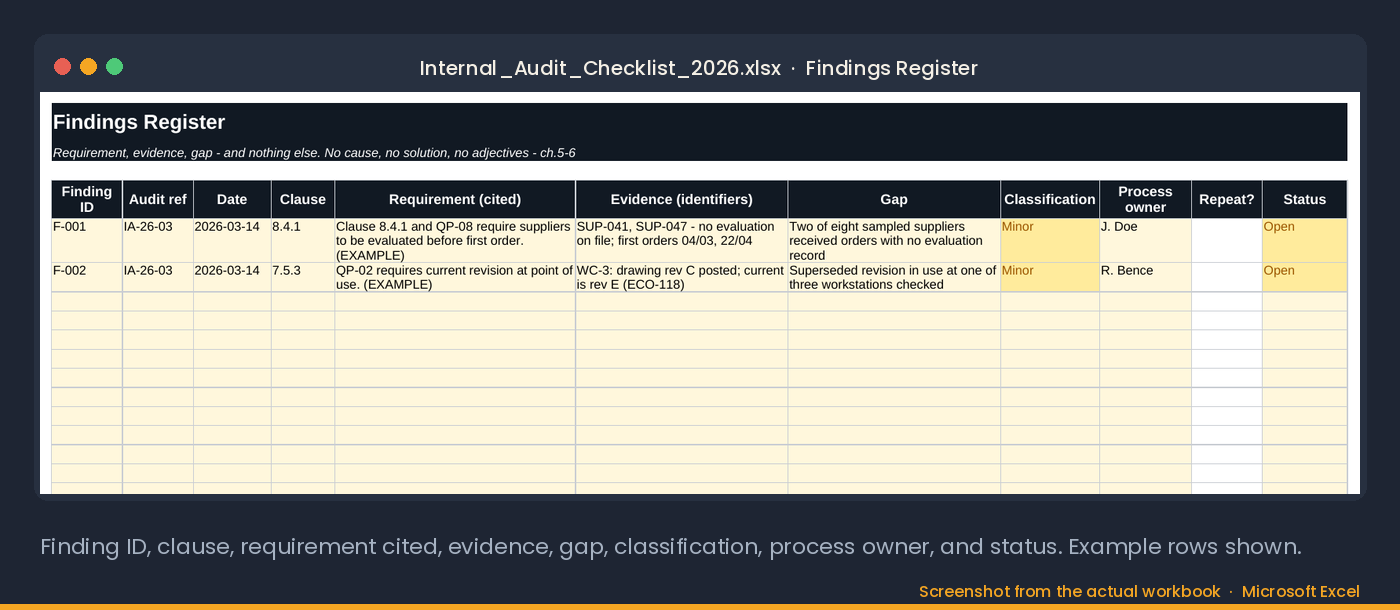
The findings register carries a REPEAT flag. A finding raised before in the same clause is the one that tells you the last corrective action did not hold, and it is the finding a certification auditor will go looking for. The register makes it impossible to miss.
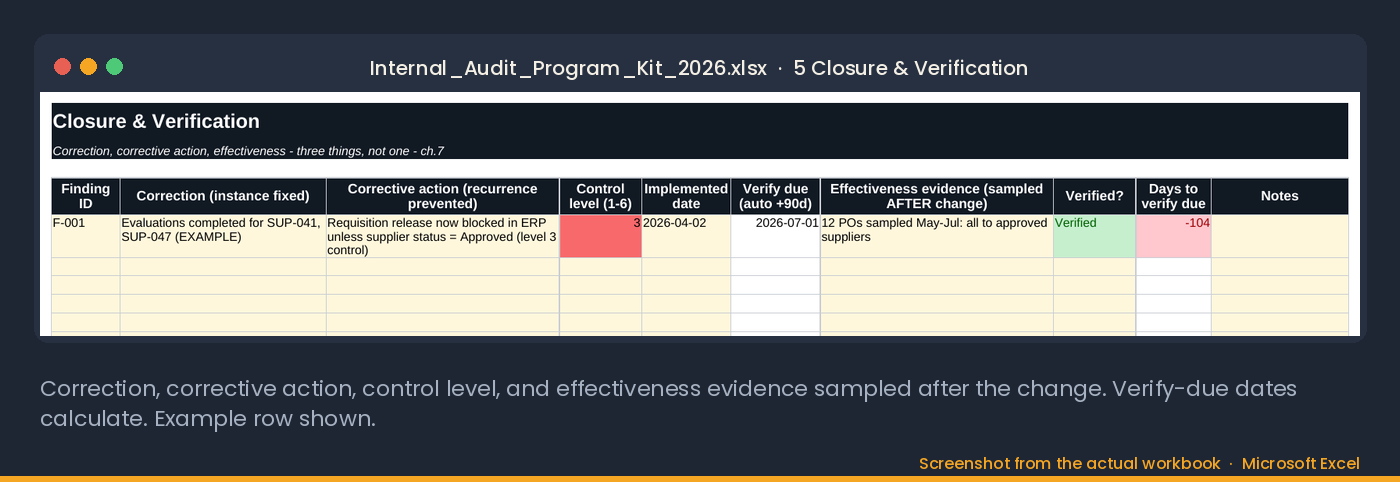
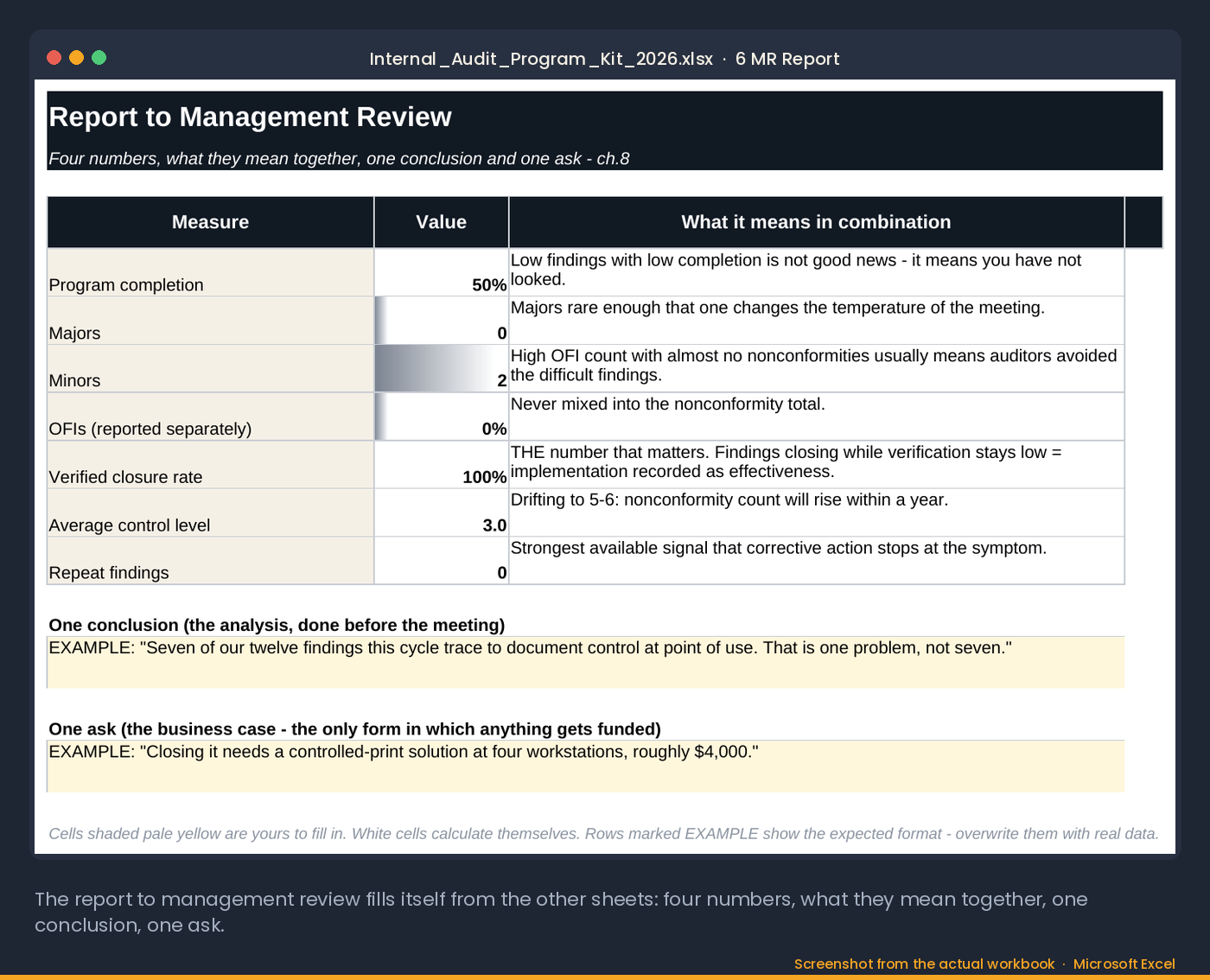
Closure runs through a 90-day verification, not a signature. The management review report reads the program back to management in one page, because 9.3.2 wants the audit results as an input, not as a folder.
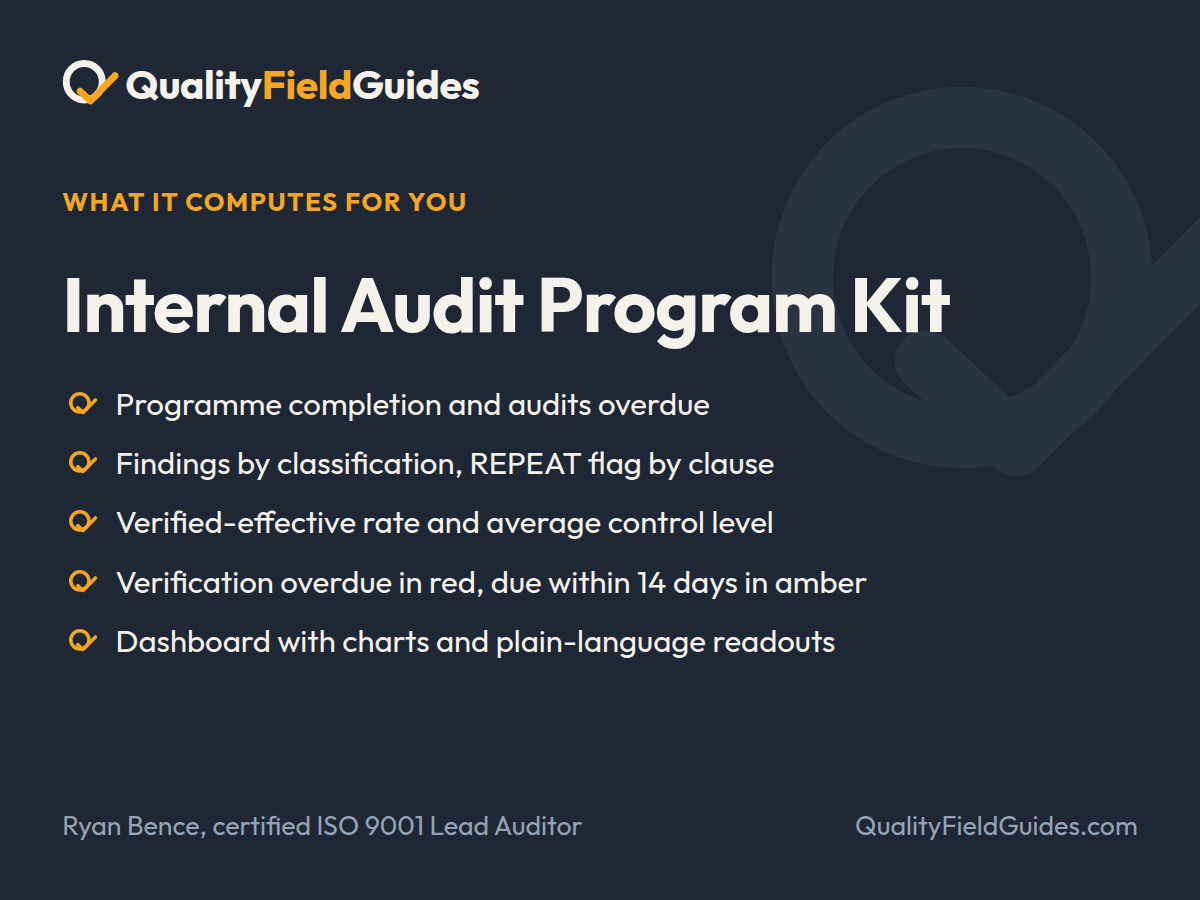
What it computes for you
A risk-weighted audit program that flags repeat findings and reports its own verified-effective rate.
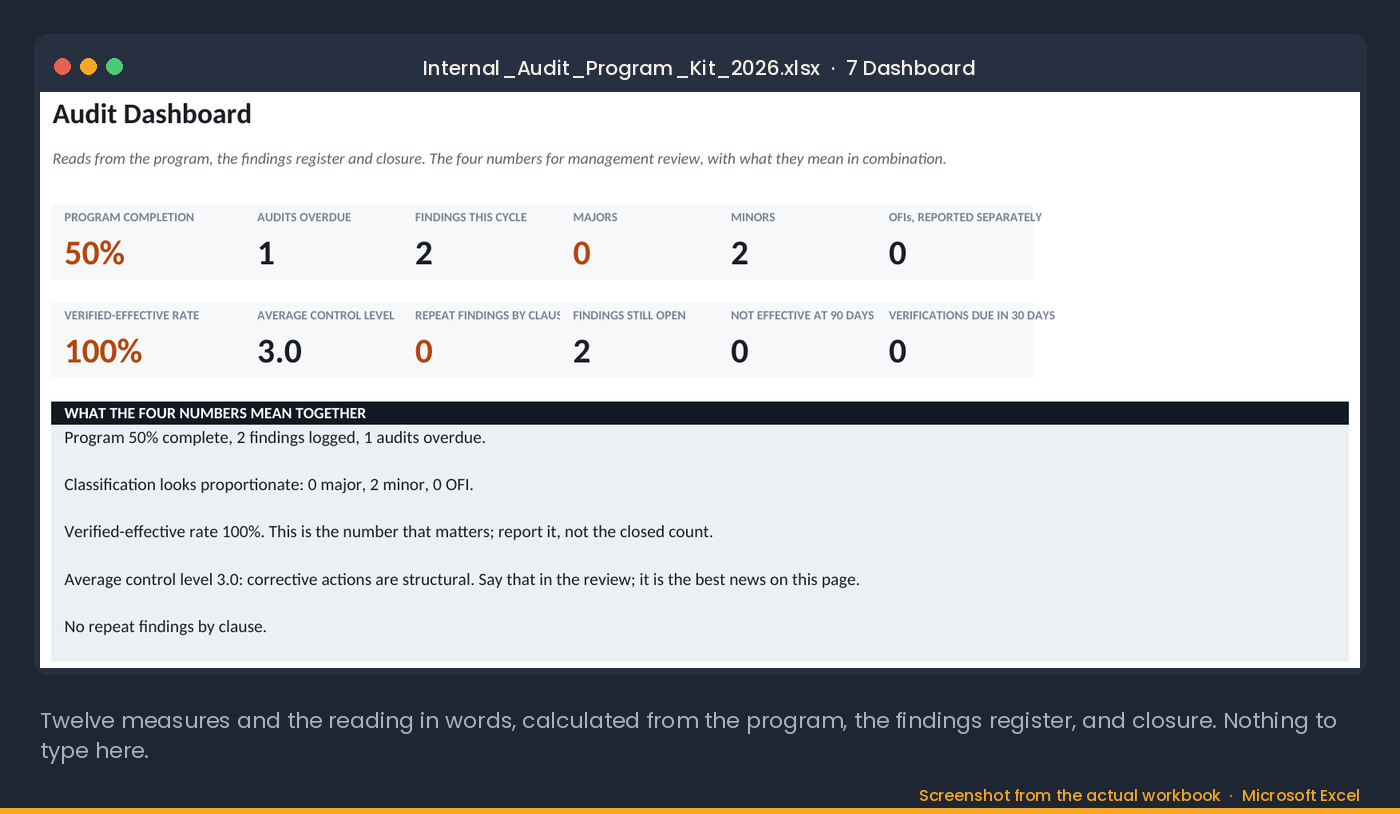
- Program completion and audits overdue
- Findings by classification, REPEAT flag by clause
- Verified-effective rate and average control level
- Verification overdue in red, due within 14 days in amber
- Dashboard with charts and plain-language readouts
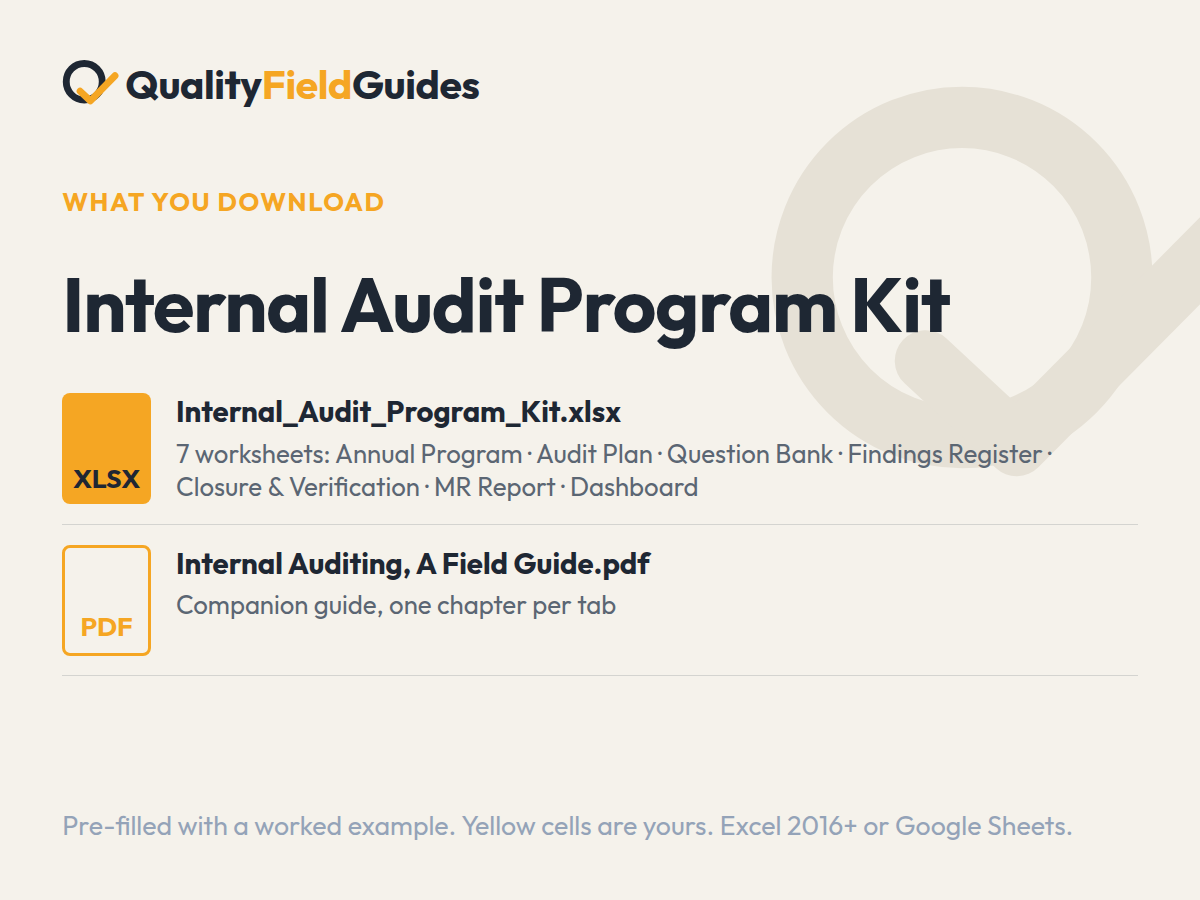
What you download
The files.
Yellow cells are yours; white cells calculate. It arrives filled in with the series’ fictional plant so every flag and chart has something to show; clear the yellow cells and start.
Questions
Before you buy.
Which Excel version do I need?
Excel 2016 or later on Windows or Mac, or Google Sheets. Every formula is standard: no macros, no add-ins, no external links. In Google Sheets use File → Import → Replace spreadsheet.
Why does the workbook arrive filled in?
Every workbook ships pre-filled with the same fictional plant so each dashboard, flag and trend has something to show. Read it that way first, then clear the yellow input cells; the white computed cells empty themselves.
What is the difference between an entry worksheet and a pack?
An entry worksheet is two or three tabs lifted from its pack, and it is $5 or more, your choice. The pack is the full workbook with the register, the dashboard and the field guide PDF that explains the method, for $35. Start with the worksheet; the formulas and the worked example are the same.
What if it does not do what the page says?
Thirty days, no questions. Reply to the receipt email, or write to ryan@qualityfieldguides.com, and it is refunded.
Goes with it
The tools next to this one.
Internal Audit Checklist & Findings Register
The question bank and the findings register from the Internal Audit Program Kit. Ask the right questions, log what you find, watch the repeat flag.
See what it computesManagement Review Pack
Turns the annual review from a reporting exercise into a decision meeting, with a carry-over count that keeps it honest.
See what it computesRoot Cause & Corrective Action Toolkit
Seven worksheets from problem statement to verified, closed CAPA, with a 90-day effectiveness check.
See what it computes