Quality Field Guides › Tools › Root Cause & Corrective Action Toolkit
Root Cause Analysis Template
Root Cause Analysis Template — the one that stops at the cause, not the person
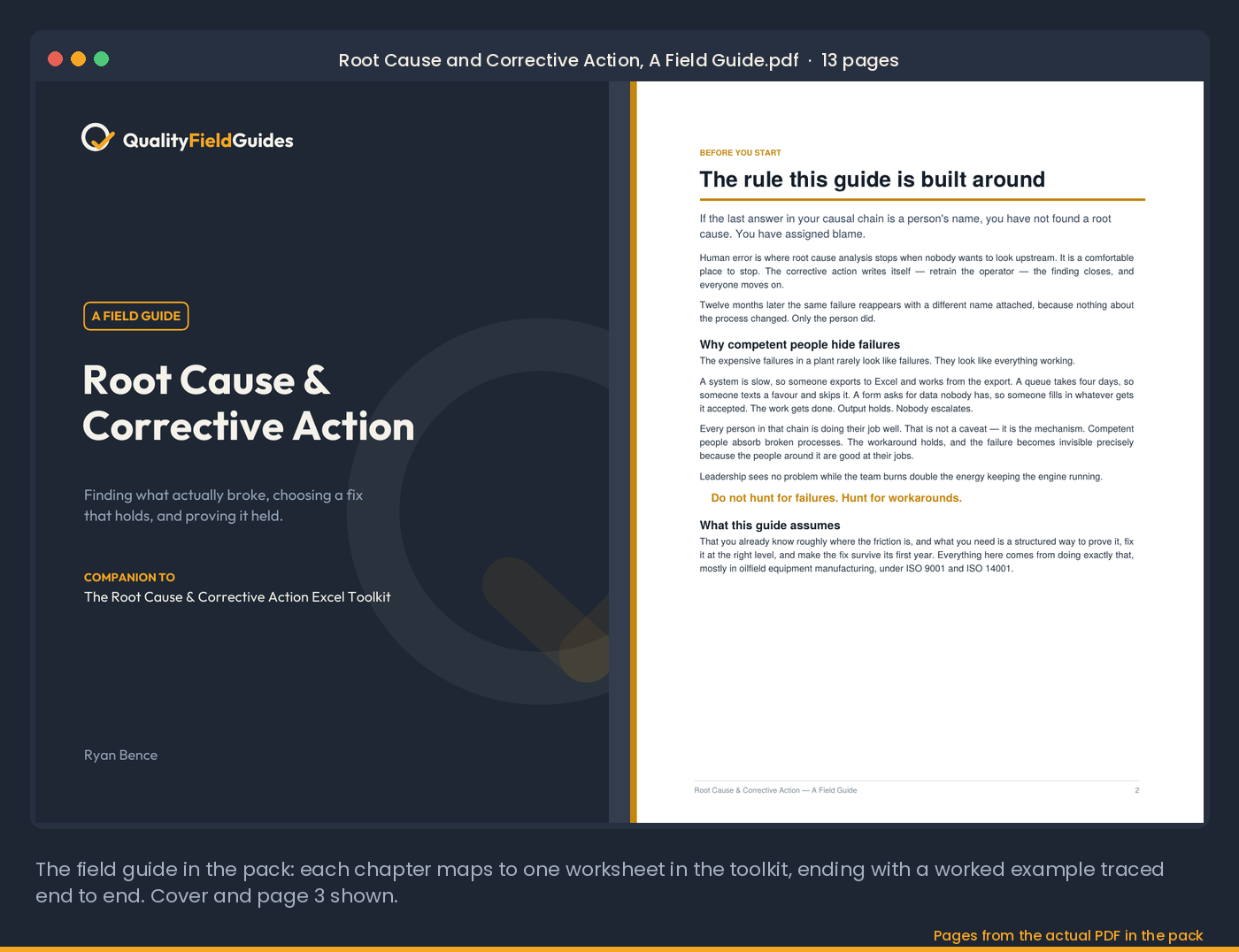
Root Cause & Corrective Action Toolkit — seven linked worksheets: 5W2H problem statement, five whys with evidence, six-category cause scoring (likelihood × evidence), hierarchy-of-controls selection, CAPA register with dashboard, 90-day effectiveness verification, and a 13-page field guide with a complete worked example. $35. Just need the 5 whys? The 5 Whys Template, $5+.
Fall sale: 20% off at checkout through November 1, 2026. $35 becomes $28.
Buy on GumroadFull pack: field guide + workbook · Excel 2016+ or Google Sheets · pre-filled with a worked example · 30-day refund, no questions
30-day refund, no questions. Files are Excel (.xlsx); no macros.
See inside
Screenshots from the actual workbook and the field guide.
The method
A form lets you stop at a symptom. A template worth using does not.
Most root cause analysis templates are a form. You fill in the problem, write five "whys," pick a corrective action, and file it. Twelve months later the same failure comes back with a different name attached, because the template let you stop at "the operator did not follow the procedure" — which is a symptom, not a cause.
A root cause analysis template worth using has to force three things a form cannot. It has to make you define the problem before you analyze it — what failed, where it was detected versus where it occurred, how often, what it costs — because a vague problem statement produces a vague root cause. It has to ask for evidence beside every "why," because the difference between analysis and storytelling is whether you can show what you found. And it has to make you choose a control that holds: eliminate the step, design the failure out, detect it automatically — before it lets you write "retrain."
Then it has to keep the register honest. A CAPA register that jumps from "in progress" to "closed" is recording implementation, not effectiveness. The state most registers omit — awaiting verification — is the one that tells you whether your corrective action process works at all.
Read next: 5 Whys Template · FMEA Template · The Quality Manager's Field Guide
Worked example
One case, run through all seven worksheets.
The same dock-2 scanner case that ships in every tool on this site, from problem statement to a verified, closed corrective action. This is what the file looks like when it is finished.
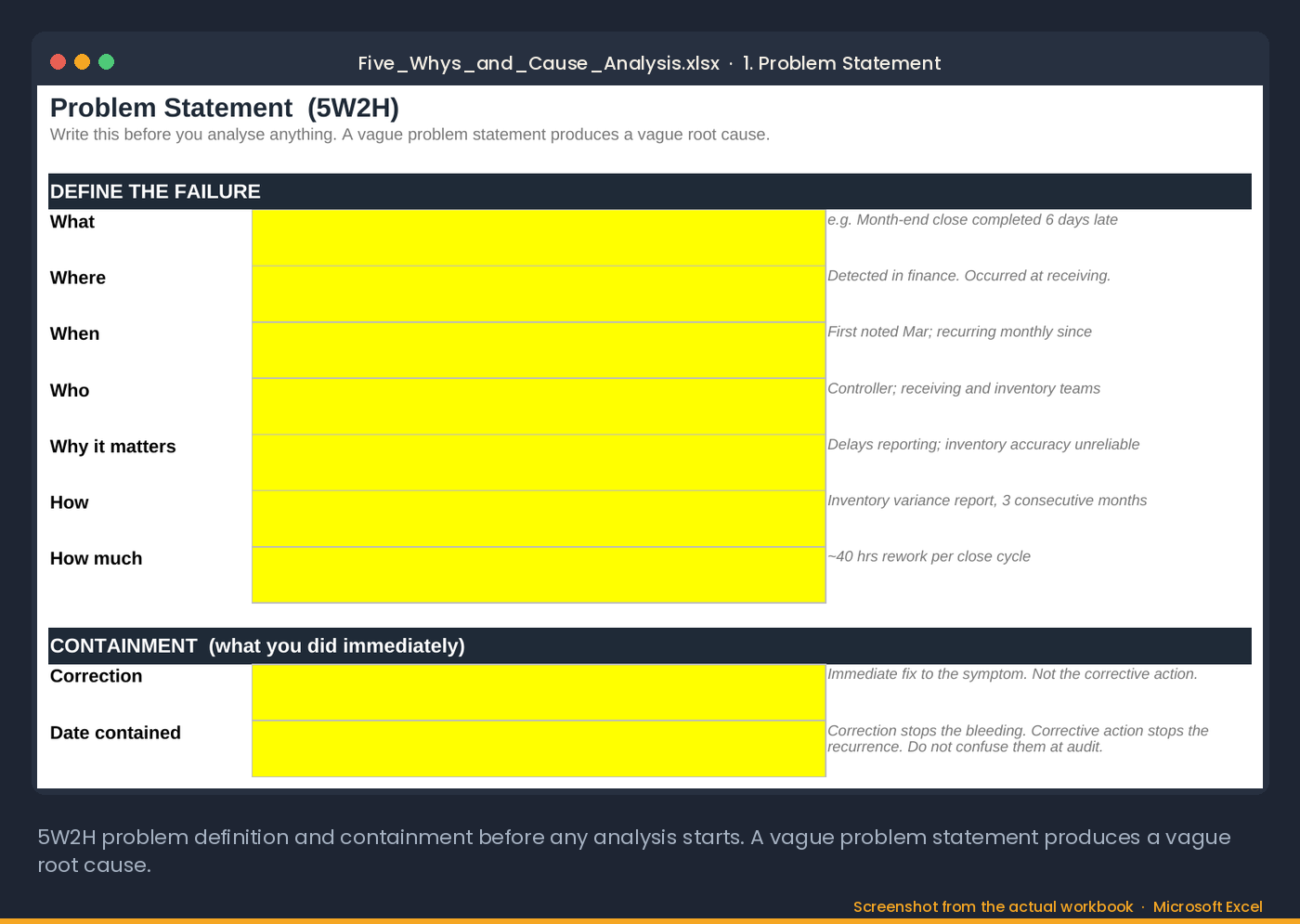
1. Problem statement (5W2H)
| What | Month-end close completed six days late |
|---|---|
| Where | Detected in finance; occurred at receiving |
| When | First noted in March; recurring every month since |
| Who | Controller; receiving and inventory teams |
| Why it matters | Reporting is late and inventory accuracy is unreliable |
| How known | Inventory variance report, three consecutive months |
| How much | About 40 hours of rework per close cycle |
| Correction | Manual recount before close. Stops the bleeding; it is not the corrective action. |
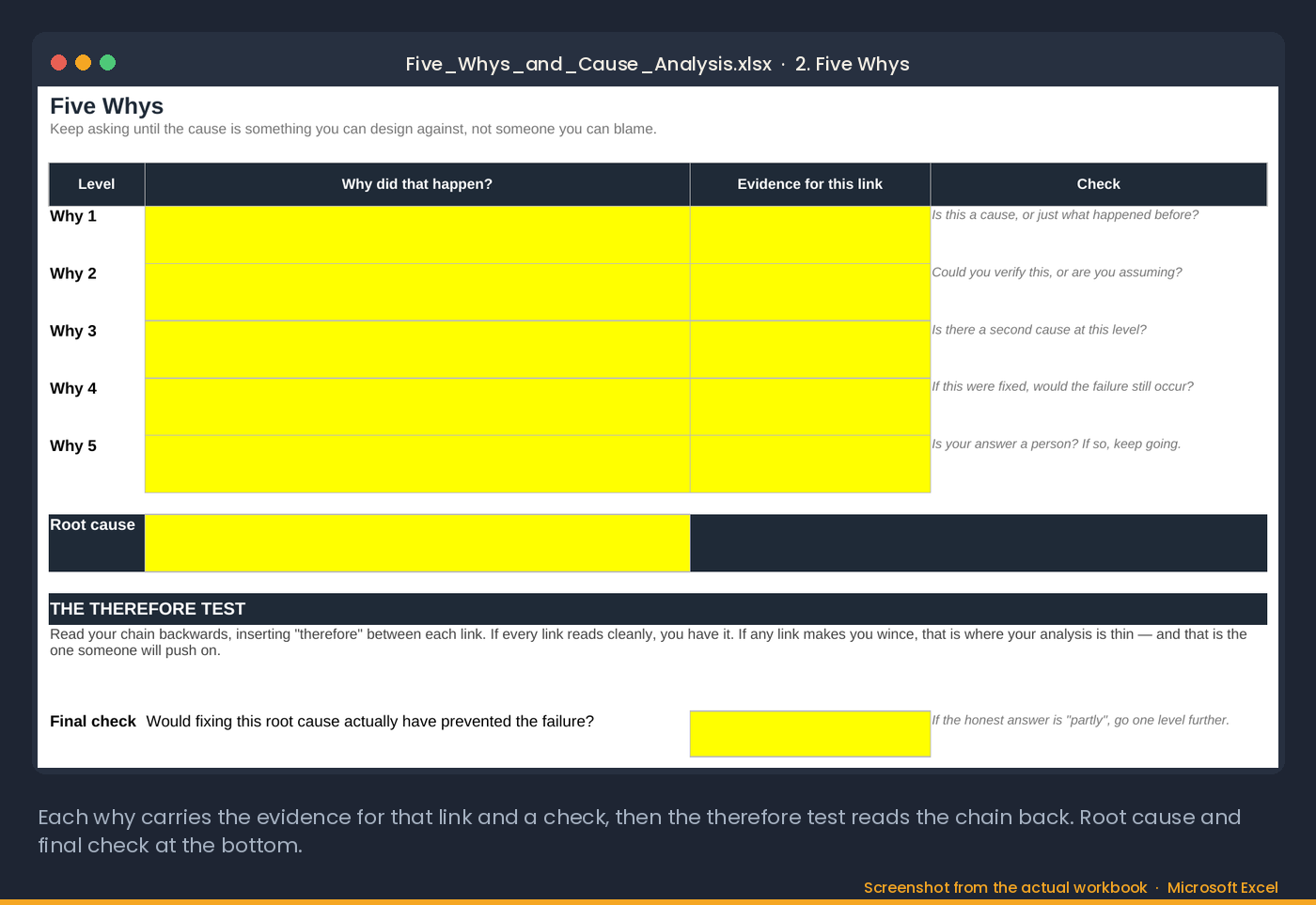
2. Five whys, with the evidence column
| Level | Why did that happen? | Evidence for this link |
|---|---|---|
| Why 1 | The inventory variance report did not reconcile, and finance spent days chasing counts. | Variance report, three months running |
| Why 2 | Receiving quantities at dock 2 were keyed in by hand at the end of each shift, from paper tallies. | Receiving log: entries batched between 15:50 and 16:10, not at time of receipt |
| Why 3 | The barcode scanner at dock 2 failed in February and the clerk switched to manual entry. | No scanned receipts from dock 2 after February 18 |
| Why 4 | The failed scanner was never replaced. The clerk had no route to report equipment failure. | No work order raised; clerk not trained on escalation |
| Why 5 | Handheld equipment is not on the weekly PM asset check, so a dead scanner is nobody's job until a report breaks. | PM schedule lists fixed equipment only |
| Root cause | No asset check for handheld equipment in the PM schedule. | |
The therefore test, read backwards. No asset check in the PM schedule, therefore the failed scanner was never replaced, therefore receiving went to manual entry, therefore the variance report stopped reconciling, therefore the close ran six days late. Every link reads cleanly. The final check: would adding the asset check have prevented the failure? Yes, because the scanner would have been replaced the week it died.
Notice where a weaker chain stops: at Why 4, with the clerk. "Retrain the clerk" is the fix that would have been written, and the next scanner failure would have gone the same way.
3. Cause analysis across all six categories
Five whys follows one thread. The cause-analysis sheet scores the others so nothing was missed. Score is likelihood times evidence; 15 or more is a primary candidate.
| Category | Candidate cause | Likelihood | Evidence | Score | Verdict |
|---|---|---|---|---|---|
| Machine | Scanner at dock 2 failed, never replaced | 5 | 5 | 25 | Primary. What happened. |
| Method | No asset check in the PM schedule | 4 | 4 | 16 | Primary. Why it stayed broken. |
| Manpower | Clerk untrained on escalation | 3 | 2 | 6 | Contributing |
| Measurement | Variance threshold set too wide | 2 | 3 | 6 | Contributing |
| Material | None found | ||||
| Environment | None found |
Two primaries is the normal result. The machine cause is the event; the method cause is the condition that let it persist. The corrective action has to address the second one, or the fix expires with the next failure.
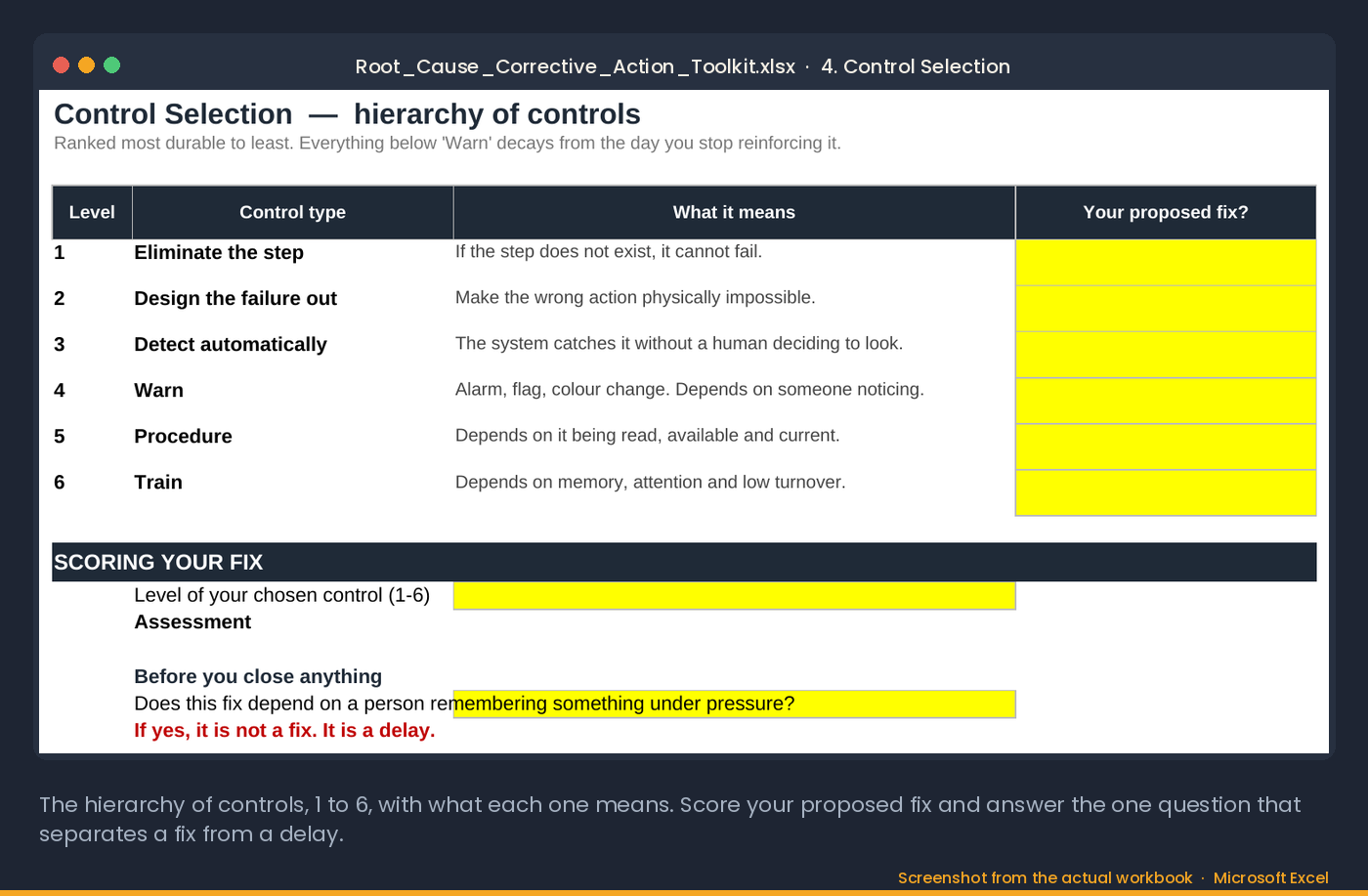
4. Control selection
The proposed fix is scored against the hierarchy of controls. "Retrain the clerk" is level 6 and depends on memory. "Add handheld equipment to the weekly PM asset check" is level 3: the check finds a dead scanner without anyone deciding to look. The toolkit asks one question before you close anything: does this fix depend on a person remembering something under pressure? If yes, it is a delay, not a fix.
5. The CAPA register entry
| CAPA | Source | Problem | Root cause | Corrective action | Level | Status |
|---|---|---|---|---|---|---|
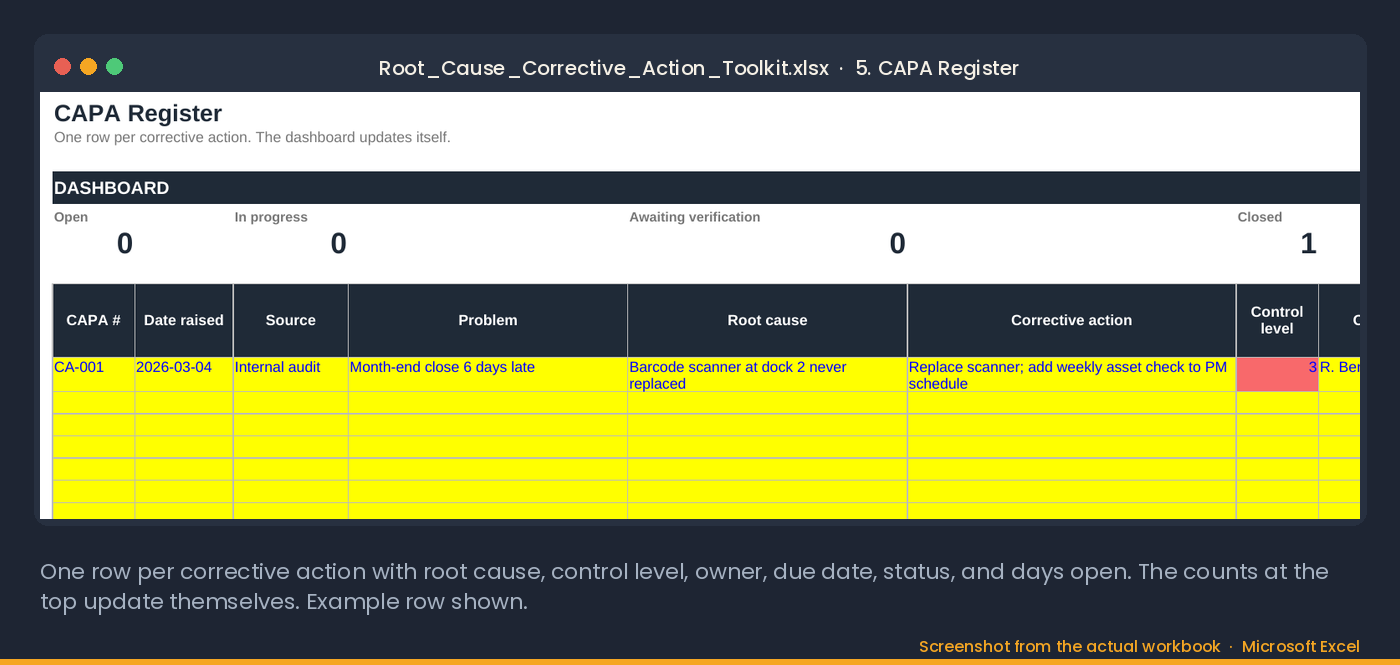
| CA-001 | Internal audit | Month-end close six days late | Scanner at dock 2 never replaced; no asset check in PM | Replace scanner; add weekly handheld asset check to the PM schedule | 3 | Closed in 29 days, awaiting 90-day verification |
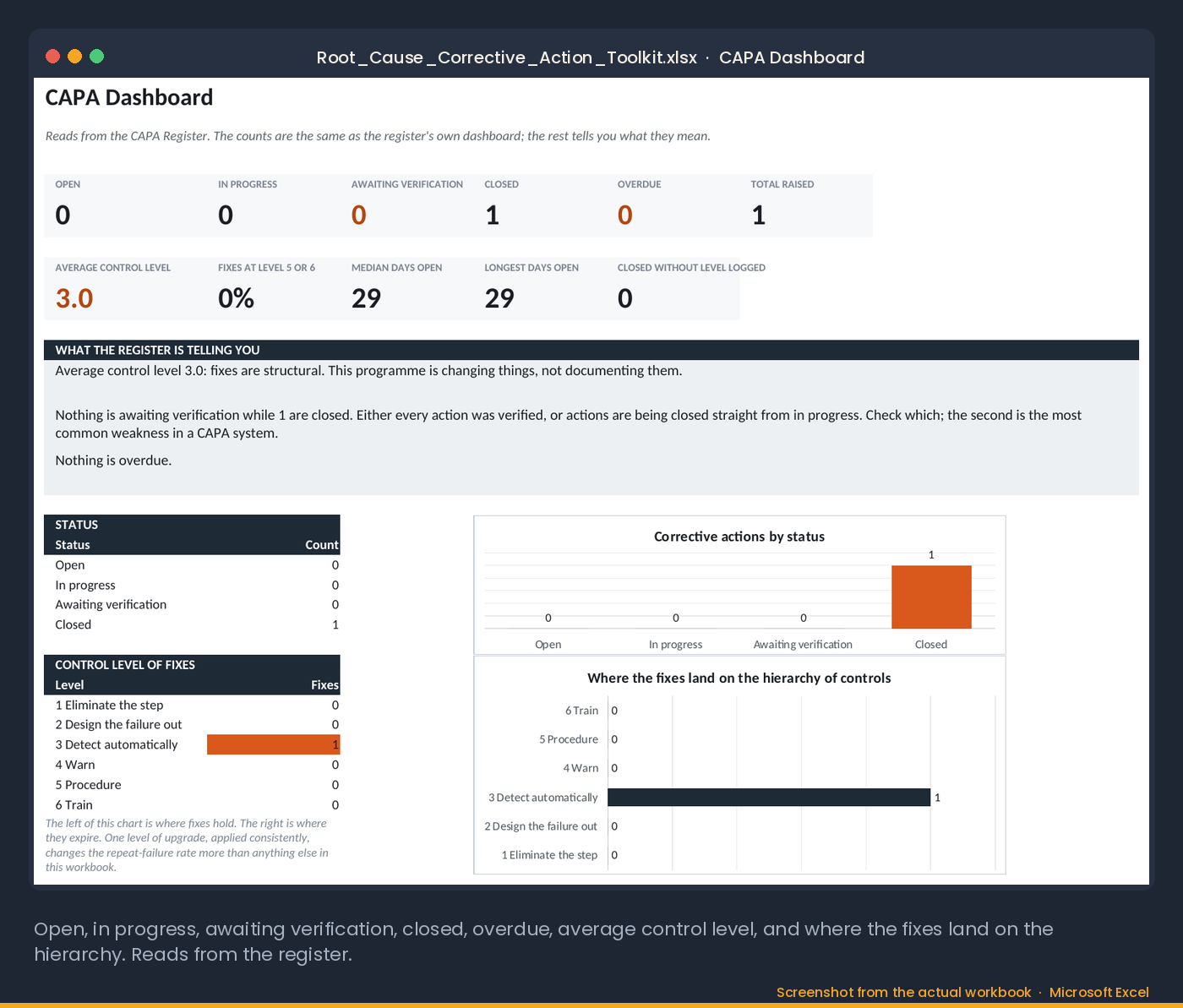
The dashboard reads the register: open, in progress, awaiting verification, closed, overdue, and the average control level of the fixes. A register full of level 5 and 6 fixes is a register that will fill up again.
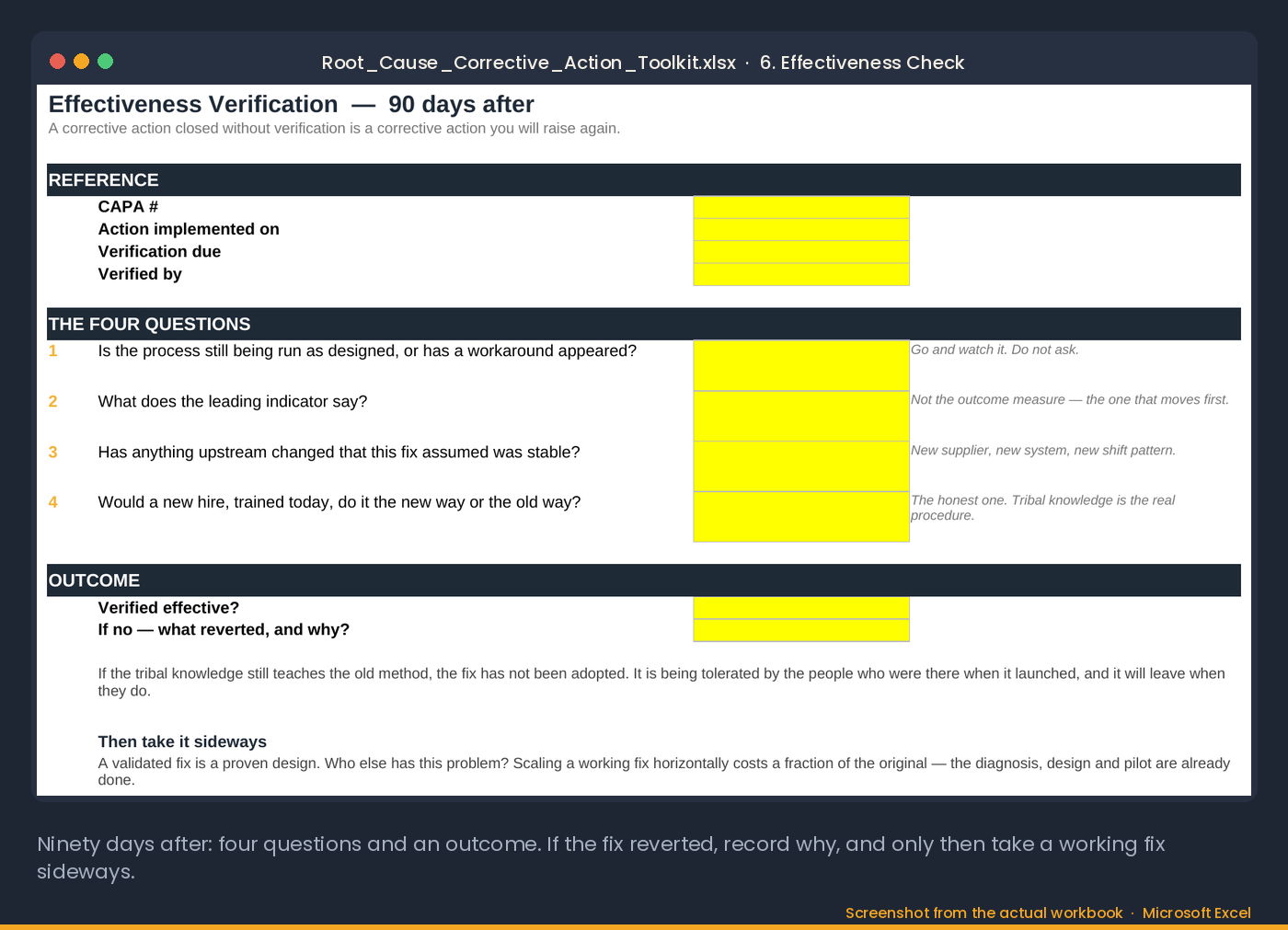
6. Effectiveness check, 90 days later
| Question | Answer at day 90 |
|---|---|
| Is the process still run as designed, or has a workaround appeared? | Scans at time of receipt on every dock; no end-of-shift batches in the log |
| What does the leading indicator say? | Variance report reconciled three months running; close back to two days |
| Has anything upstream changed that this fix assumed was stable? | Same PM schedule owner; the asset check is on it and signed weekly |
| Would a new hire, trained today, do it the new way or the old way? | New way: the receiving work instruction was revised and the paper tallies were removed |
Verified effective. Then the toolkit asks you to take it sideways: who else has this problem? Every dock, every handheld, every plant.
Start with the $5+ template
The first three worksheets above, problem statement, five whys and cause analysis, are the 5 Whys & Cause Analysis Worksheet, $5+. The toolkit adds control selection, the CAPA register with its dashboard, and the 90-day effectiveness check, for $35.
Get the 5 whys template, $5+ Get the toolkit · $35What it computes for you
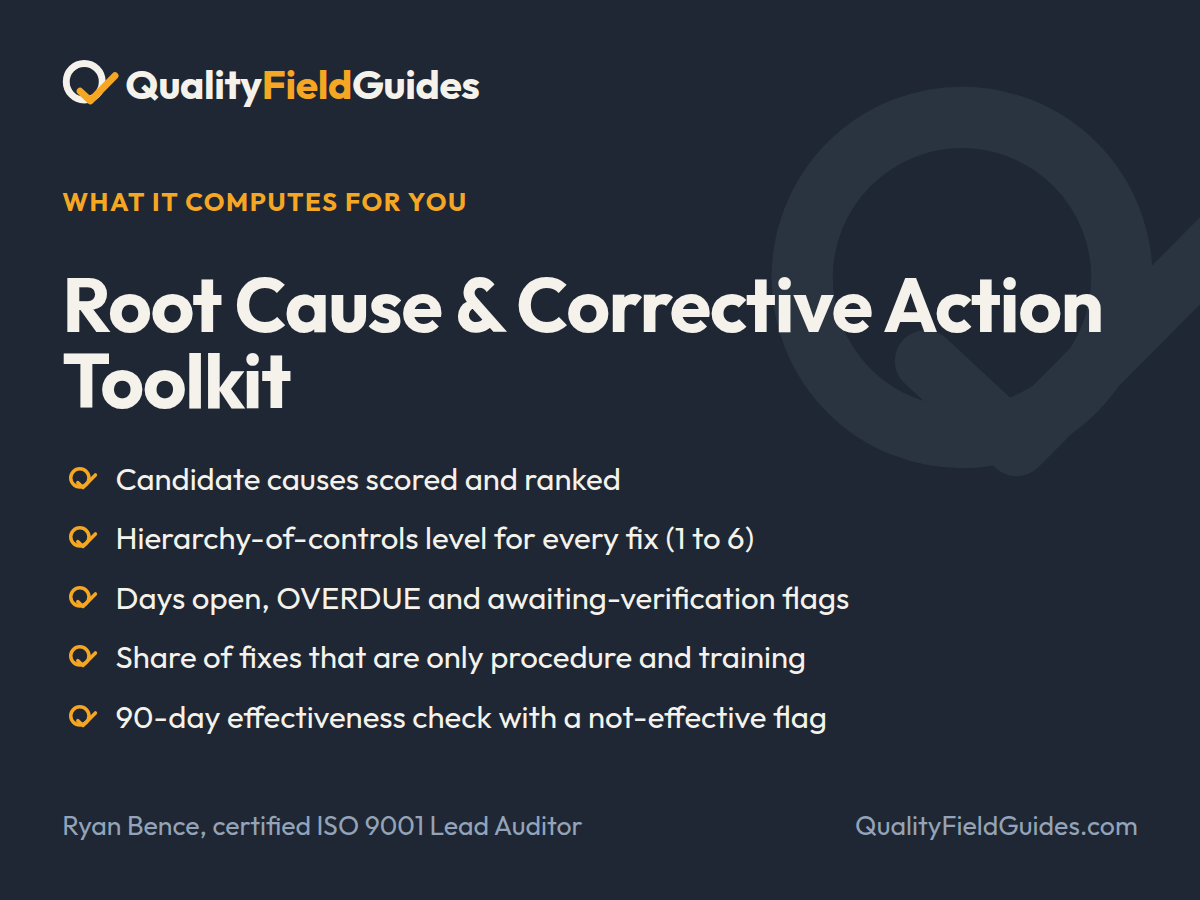
Seven worksheets from problem statement to verified, closed CAPA, with a 90-day effectiveness check.
- Candidate causes scored and ranked
- Hierarchy-of-controls level for every fix (1 to 6)
- Days open, OVERDUE and awaiting-verification flags
- Share of fixes that are only procedure and training
- 90-day effectiveness check with a not-effective flag
What you download
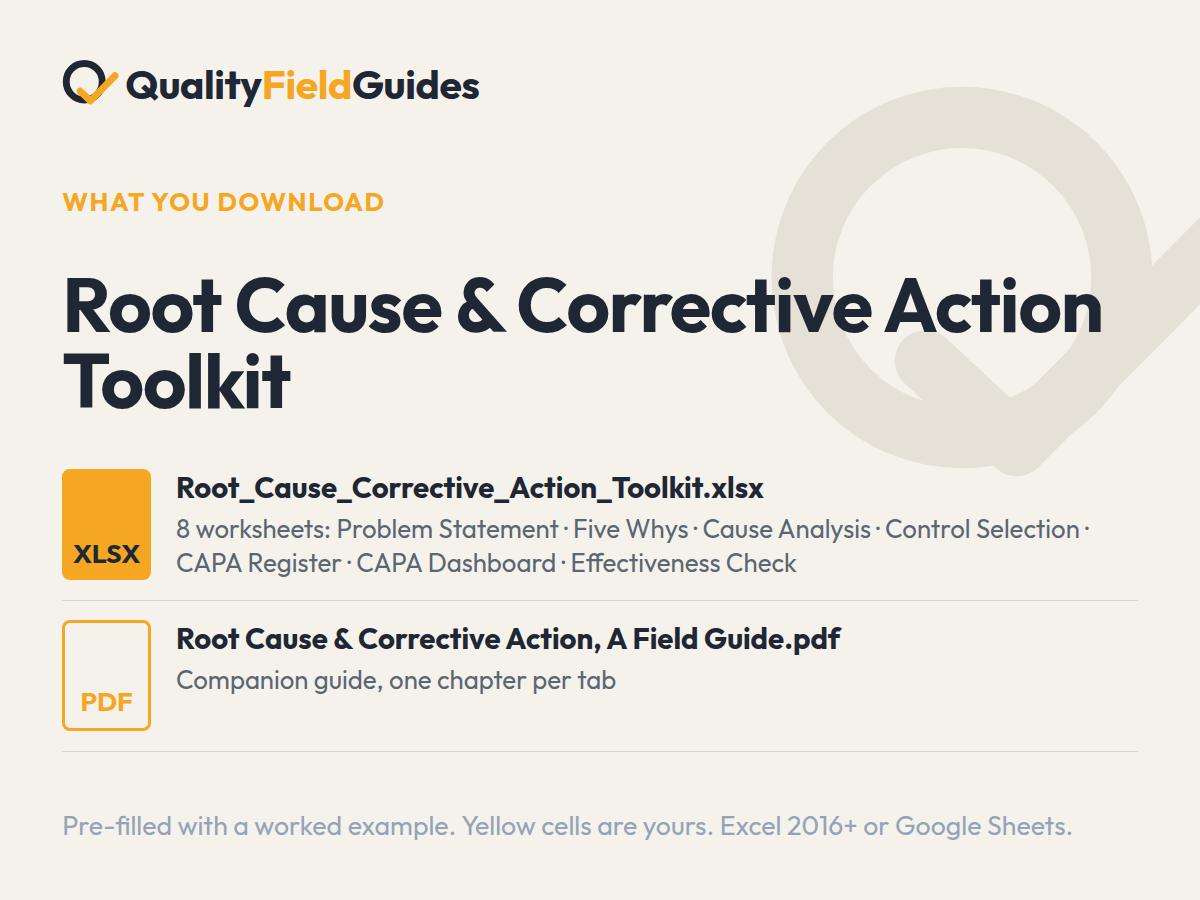
The files.
Yellow cells are yours; white cells calculate. It arrives filled in with the series’ fictional plant so every flag and chart has something to show; clear the yellow cells and start.
Questions
Before you buy.
Is there a smaller version of this toolkit?
Yes. The 5 Whys & Cause Analysis Worksheet is $5+ and is the first three sheets of this toolkit: the problem statement, the five-whys chain with an evidence column, and the six-category cause scorer. The toolkit adds control selection, the CAPA register with a dashboard, and the 90-day effectiveness check.
What are the steps in a root cause analysis?
Define the problem so it survives the meeting, contain it, trace the cause with five whys and evidence, check the other cause categories so a single thread has not misled you, choose a control high enough on the hierarchy to hold, log the corrective action with an owner and a due date, and verify it 90 days later with four questions. The seven worksheets follow that order.
What should a root cause analysis template include?
A problem statement with the failure defined separately from its consequence; a why-chain with evidence at each step; a cause review across method, machine, material, people, measurement and environment; a corrective action rated on the hierarchy of controls; and a verification step at least 90 days after implementation.
Is this a CAPA template too?
Yes — the register tracks correction, corrective action, and effectiveness verification as three separate things, which is what a CAPA system is supposed to do and most templates skip.
Which Excel version do I need?
Excel 2016 or later on Windows or Mac, or Google Sheets. Every formula is standard: no macros, no add-ins, no external links. In Google Sheets use File → Import → Replace spreadsheet.
Why does the workbook arrive filled in?
Every workbook ships pre-filled with the same fictional plant so each dashboard, flag and trend has something to show. Read it that way first, then clear the yellow input cells; the white computed cells empty themselves.
What is the difference between an entry worksheet and a pack?
An entry worksheet is two or three tabs lifted from its pack, and it is $5 or more, your choice. The pack is the full workbook with the register, the dashboard and the field guide PDF that explains the method, for $35. Start with the worksheet; the formulas and the worked example are the same.
What if it does not do what the page says?
Thirty days, no questions. Reply to the receipt email, or write to ryan@qualityfieldguides.com, and it is refunded.
Goes with it
The tools next to this one.
5 Whys & Cause Analysis Worksheet
A problem statement that survives the meeting, a five-whys chain that stops at a system, and a cause-scoring sheet that ranks what you found.
See what it computesInternal Audit Program Kit
A risk-weighted audit program that flags repeat findings and reports its own verified-effective rate.
See what it computesCost of Poor Quality Calculator
Put a number on the problem nobody is fixing. Labor, error and opportunity cost, with a confidence haircut finance will accept, and a verdict on whether the fix pays back.
See what it computes